Features
Everything the floor, the kitchen, and the office run on.
14 tools built around how Malaysian restaurants and retail shops actually operate — from taking the order to closing out the till.
All features
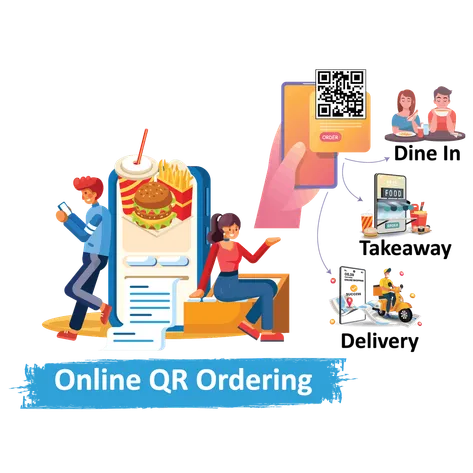
Online Ordering
Customers scan a QR code, browse the menu on their own phone, and send the order straight to the kitchen — dine-in, takeaway, or delivery, all through one system.
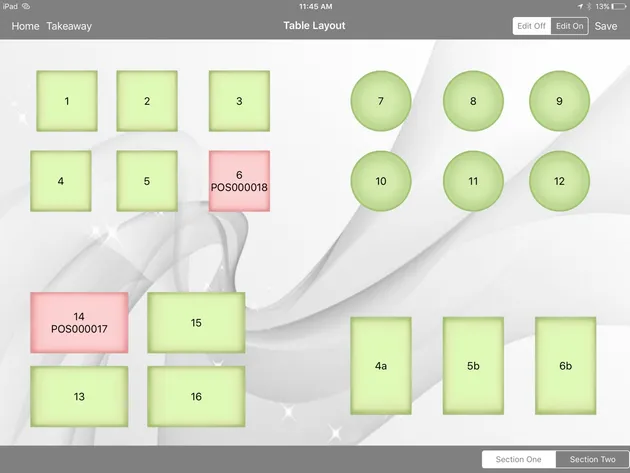
Table Management
Lay out your dining room on the tablet the way it actually sits, then add, resize, or move tables as the room changes — no chart taped behind the counter.
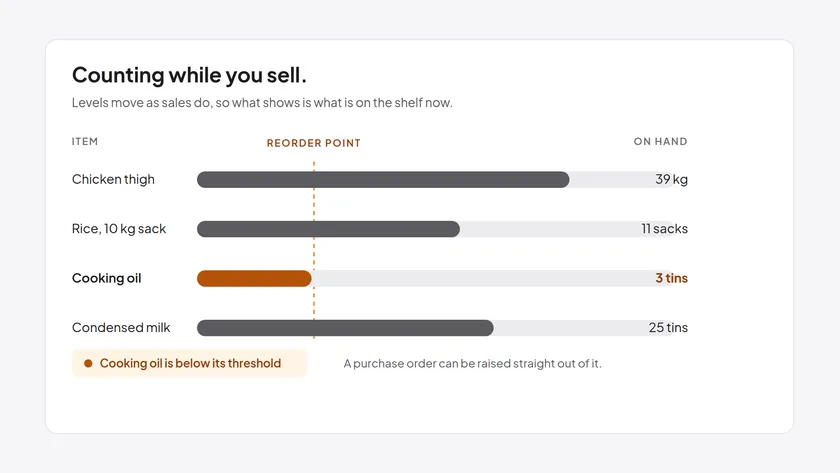
Inventory Management
Track ingredient and product levels as sales happen, with reorder reminders before you run short.
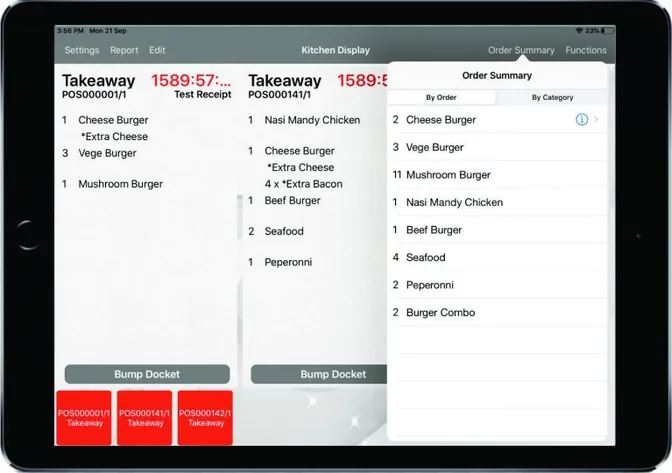
Kitchen Display
Orders rung up at the till appear on the kitchen's own screens the moment they're sent — nothing handwritten, nothing that can go missing on the pass.
Reporting & Insights
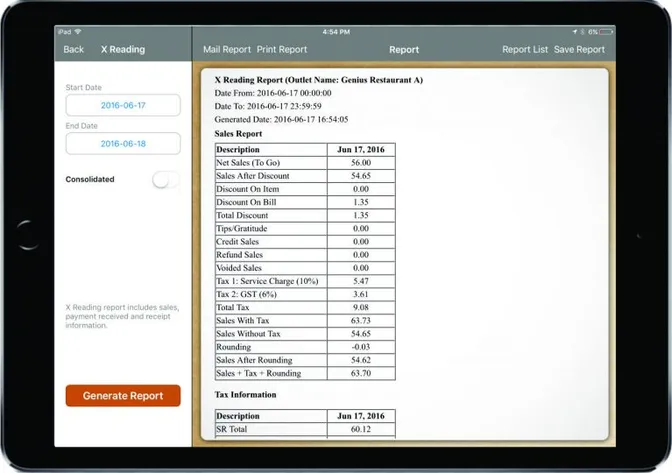
See which dishes sell, which ones carry the margin, and who's logged in to view what — daily transaction history broken down by item, not just a total at close.
Cloud Sync
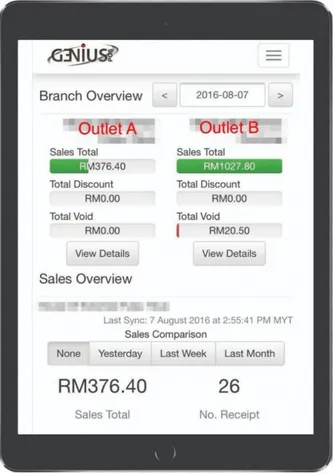
Sales land on the cloud dashboard the same day, so an owner running more than one outlet sees every branch on one screen instead of waiting for each to send its own numbers over.
Loyalty & Rewards
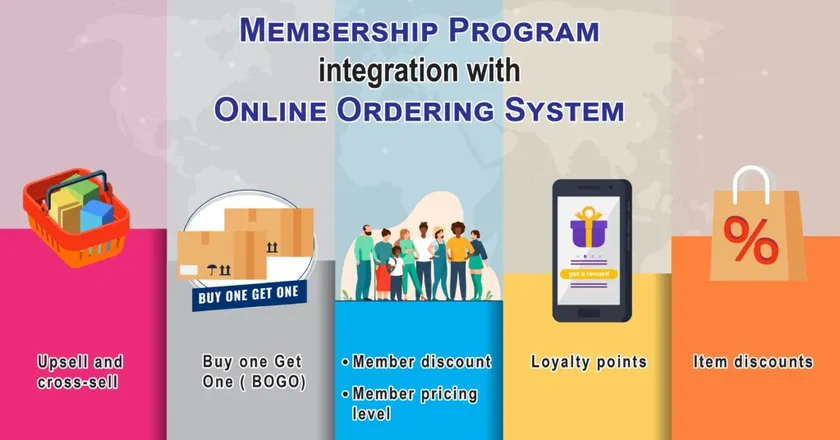
Turn a one-off visitor into a member, track what they order, and give them their own login — points, vouchers and history they can see, and promotions aimed at what they actually like.
Employee Management
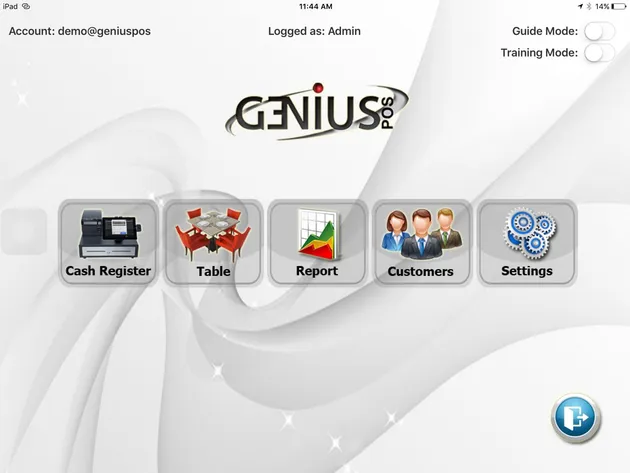
A guide mode walks a new employee through the till step by step, and a training mode lets them practise before a real order is on the line.
Multiple Terminals
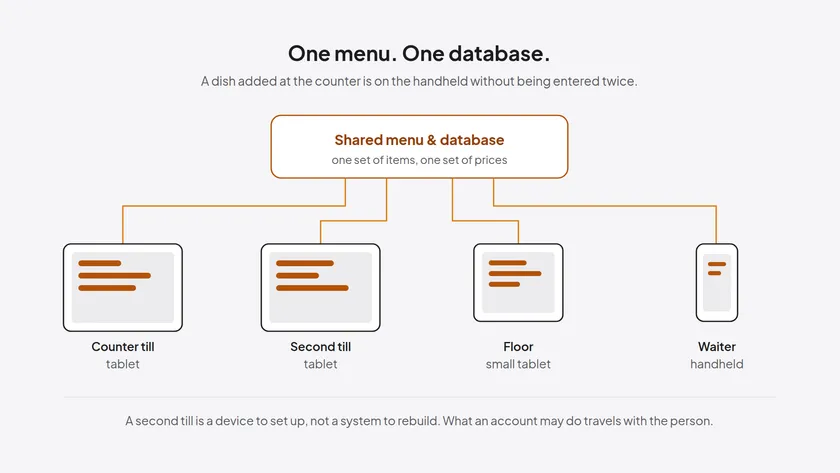
Every terminal shares the same menu and database, so adding another iPad, Android tablet, iPod, or iPhone to the floor doesn't mean setting up a second system from scratch.
Integrations
Sales data feeds SQL Accounting, payments run through AxiataPay, Finexus and PMA depending on where the sale happens, and delivery orders route through Lalamove and Grab.
Payments
Cash, card, and a single bill split across more than one of them — plus the right payment processor for wherever the sale actually happens.
Tax & Service Charge
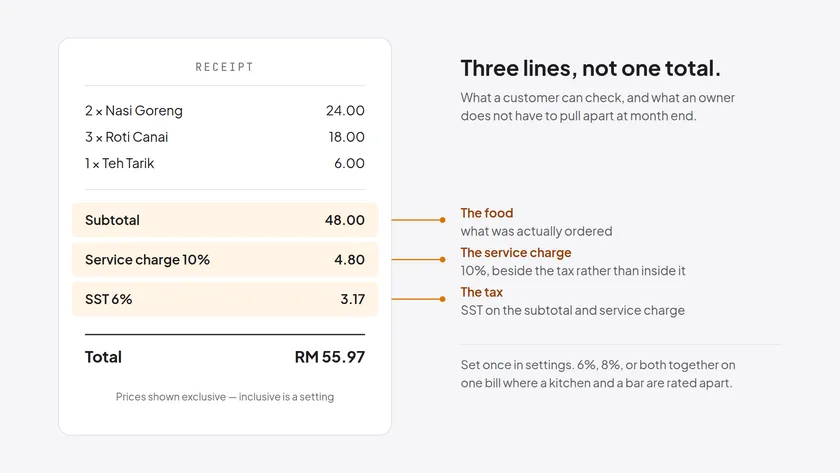
Set SST and the 10% service charge once, inclusive or exclusive, and let the receipt show each of them on its own line.
Custody
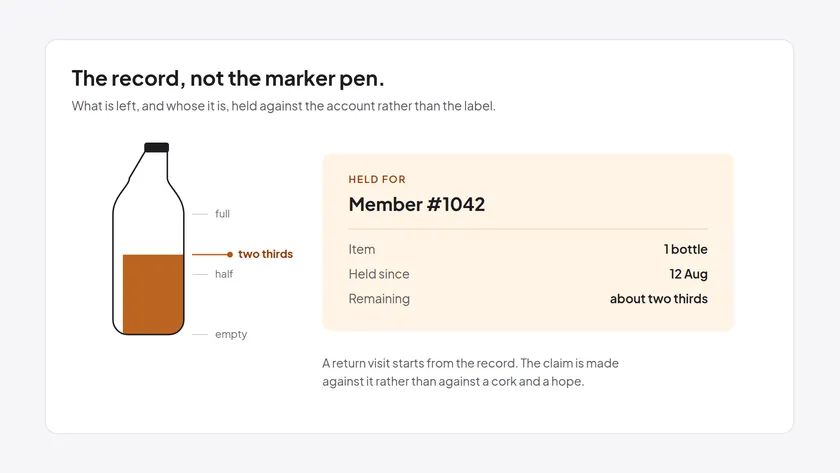
Hold what a customer doesn't finish — the system records whose it is and how much is left, so a return visit starts from the record, not from a marker pen.
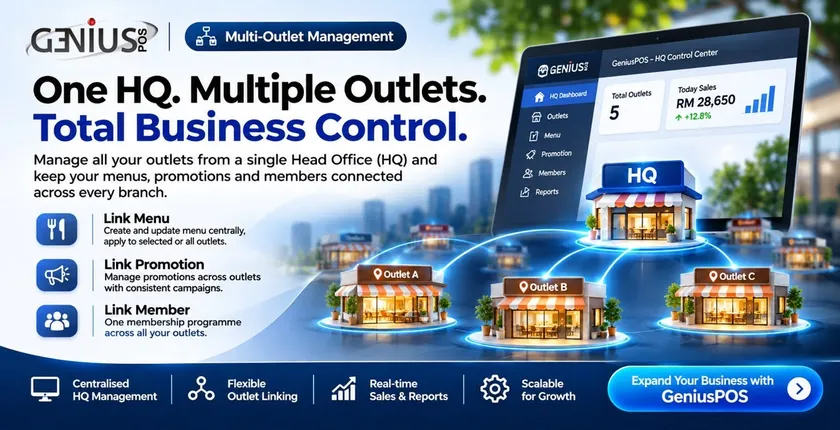
Multi-Outlet Management
Connect every outlet to one central Head Office (HQ), and share your menu, promotions and membership across all of them or only the outlets you choose.