Best POS System in Malaysia for Retail & F&B Businesses
In Guides
Introduction: Why Your Business Needs the Right POS System
Running a retail shop, restaurant, café or food and beverage (F&B) business in Malaysia involves more than selling products and collecting payments. Business owners must also manage inventory, monitor sales, control operating costs, serve customers efficiently and track daily business performance.
As your business grows, managing everything manually or relying on a basic cash register can become increasingly difficult. Stock discrepancies, incorrect orders, long queues and incomplete sales records can affect profitability and customer satisfaction.
A modern Point of Sale (POS) system helps businesses manage sales transactions, organise inventory, maintain sales records and gain better visibility into daily operations. Depending on the software and configuration, it may also support barcode scanning, customer management, outlet reporting and integrations with other business tools.
In this guide, we explain the essential features to consider, the differences between retail and restaurant POS systems, and how to choose a solution that supports your business as it grows.
What Is a POS System?
A Point of Sale system is a combination of software and hardware used to process sales transactions and manage business operations. A typical setup may include POS software, a touchscreen terminal or computer, barcode scanner, receipt printer, cash drawer and supported payment terminal. Additional devices such as kitchen printers, customer displays, label printers and weighing scales may also be used.
The right configuration depends on your business type, transaction volume, operating workflow and budget.
7 Important Features to Look for in a POS System in Malaysia
1. Fast and Accurate Sales Transactions
A good POS system should make daily transactions simple and efficient. Staff should be able to select products, apply permitted discounts, calculate totals and complete sales without unnecessary steps. Barcode scanning can speed up retail checkout, while an intuitive ordering interface can help restaurant staff enter orders accurately during busy periods.
2. Inventory and Stock Management
Inventory management helps businesses track stock movements, monitor low-stock items, record stock receiving and adjustments, review product performance and manage variations such as sizes or colours. Restaurants may need ingredient-level inventory and recipe costing, which can require additional functionality beyond standard retail stock tracking.
Business tip: Review your fastest-selling products regularly. Better stock visibility can support more informed purchasing decisions and help reduce avoidable inventory problems.
3. Sales Reports and Business Insights
Sales reports help business owners understand performance without relying entirely on manual calculations. Useful reports may include daily, weekly and monthly sales, sales by product or category, sales by outlet or cashier, discounts, transaction summaries and stock movement. These reports can help identify sales trends and support better-informed decisions.
4. Features Designed for Retail Businesses
Retail requirements vary by industry. A convenience store may prioritise barcode scanning and stock replenishment, while a fashion boutique may need product variants for sizes and colours. Consider barcode checkout, product and category management, pricing, supplier records, purchasing, stock transfers, customer loyalty and retail reporting.
5. Features Designed for Restaurants and F&B Businesses
Restaurants, cafés, food stalls and beverage outlets often need dine-in, takeaway and delivery order management, table management, menu and modifier configuration, kitchen order printing or display integration, bill splitting and food and beverage sales reporting. Ingredient costing and multi-outlet management may also be important depending on the business.
Confirm which functions are included in the package you intend to purchase. Some features may require additional modules, hardware or integrations.
6. E-Invoice and Other Local Business Requirements
Malaysian businesses should consider how their POS software fits into their accounting and invoicing processes. If your business needs to support Malaysia’s e-Invoice requirements, ask the vendor about the available workflow, required integration and any additional fees. Check current guidance from the Inland Revenue Board of Malaysia (LHDN) and your accountant to determine what applies to your circumstances. Purchasing software alone does not guarantee compliance.
7. Technical Support, Training and Future Growth
Ask about installation, staff training, support hours and response times, updates, backup and recovery procedures, hardware compatibility, data export and migration, and costs for additional outlets or users. If you plan to expand, confirm the system can support suitable multi-outlet management and consolidated reporting.
Retail POS System vs Restaurant POS System
| Feature | Retail POS | Restaurant / F&B POS |
|---|---|---|
| Product or menu management | Product catalogue and categories | Menu items, modifiers and combos |
| Barcode scanning | Commonly important | Depends on the business |
| Inventory | Product-level stock tracking | Ingredient tracking and recipe costing may be needed |
| Ordering workflow | Scan or select products | Dine-in, takeaway and other order types |
| Table management | Usually not required | Important for many dine-in restaurants |
| Kitchen integration | Usually not required | Kitchen printer or display may be needed |
| Sales reporting | Product and category performance | Menu item and F&B performance |
| Multi-outlet management | Useful for retail chains | Useful for restaurant groups |
The best option is not necessarily the system with the most features. It is the one that fits your daily workflow and provides the functions you need at a reasonable total cost.
How Much Does a POS System Cost in Malaysia?
POS system pricing varies according to software, hardware, number of outlets and support. Common cost components include software licence or subscription fees, hardware, installation and training, optional modules and integrations, and maintenance or technical support.
When comparing vendors, look beyond the initial purchase price. Consider the total cost of ownership over two to three years, including recurring fees and necessary upgrades. Ask which features are included and what additional charges may apply.
5 Common Mistakes to Avoid When Choosing a POS System
1. Choosing Based on Price Alone
A low upfront price may be attractive, but the system may lack essential functions or require expensive add-ons. Compare the complete cost and functionality.
2. Ignoring Ease of Use
A complicated interface can slow transactions and increase training time. Request a demonstration and ask staff to try the main workflows.
3. Overlooking Inventory Management
Poor stock visibility can lead to lost sales, excessive purchasing and unnecessary waste. Choose inventory functions that match your business.
4. Failing to Check Support and Reliability
Ask how support requests are handled, what hours are covered and what happens if the internet connection or hardware fails. Verify whether offline transactions are supported and how they work.
5. Not Planning for Business Expansion
A system suitable for one outlet may become harder to manage as you grow. Consider future outlets, users, devices and the associated costs.
Why Consider Genius POS for Your Business?
If you are looking for a POS solution for your retail or F&B business in Malaysia, Genius POS is an option worth exploring. The right setup should help organise transactions, improve visibility into business performance and support day-to-day operations around your actual needs.
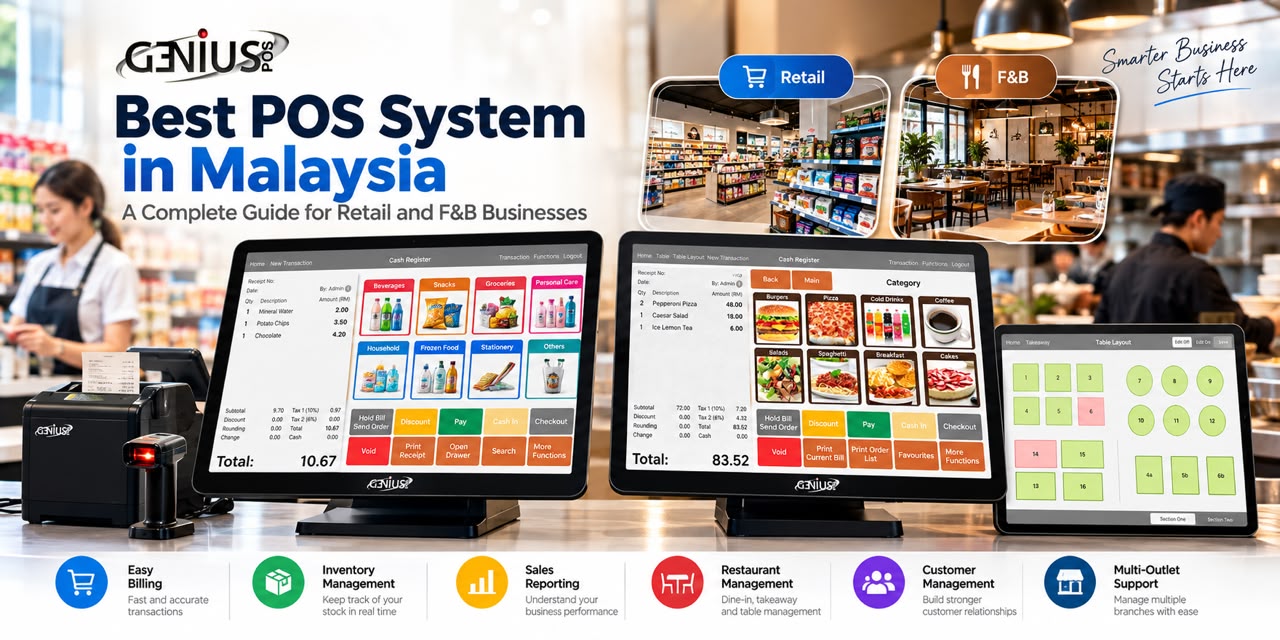
The Genius POS screenshots used with this article can demonstrate the relevant interface and workflows. Before purchasing, arrange a demonstration and ask the team to walk through your real business scenarios, including checkout, stock management, reporting and any outlet-specific workflows.
Frequently Asked Questions About POS Systems in Malaysia
What is the best POS system in Malaysia?
The best POS system depends on your business type, budget, required features and support expectations. Retail shops may prioritise barcode scanning and stock control, while restaurants may need table management and kitchen integration. Compare suitable solutions and request a demonstration.
Is a POS system suitable for small businesses?
Yes. A POS system can help small businesses organise transactions, maintain sales records and manage stock. Choose a package that meets your current needs without paying for unnecessary features.
Can one POS system support multiple outlets?
Some POS systems support multiple branches, centralised product management and consolidated sales reports. Confirm the supported functions, synchronisation method and additional costs with your vendor.
Does a POS system include inventory management?
Many POS systems provide inventory features, but functionality varies. Basic stock tracking may be sufficient for some retailers, while purchasing, stock transfers, ingredient tracking and recipe costing may require more advanced features.
Does a POS system support Malaysian e-Invoice requirements?
Support varies by provider and configuration. Ask about the available workflow, integration requirements and fees. Verify your obligations against current LHDN guidance.
Should I choose a cloud POS or a locally installed POS?
The choice depends on your requirements. Compare remote access, internet dependency, offline behaviour, backup, security and ongoing fees before deciding.
Conclusion: Choose a POS System That Helps Your Business Grow
Choosing the right POS system is an important decision for retail and F&B businesses in Malaysia. A suitable solution can help streamline transactions, improve stock visibility, organise sales reporting and provide a foundation for growth.
Identify your operational challenges, list essential features, compare the total cost and request a live demonstration. Choose a system your staff can use confidently and that supports the way your business operates today and in the future.
Looking for a POS System for Your Business?
Discover how Genius POS may fit your business requirements. Whether you run a retail shop, convenience store, café or restaurant, contact our team to discuss your needs and arrange a product demonstration.
Contact our team to arrange a demonstration, or visit the Genius POS website.
Interested in selling Genius POS? Learn about our reseller programme.